
What your auto shop camera system already knows about every bay
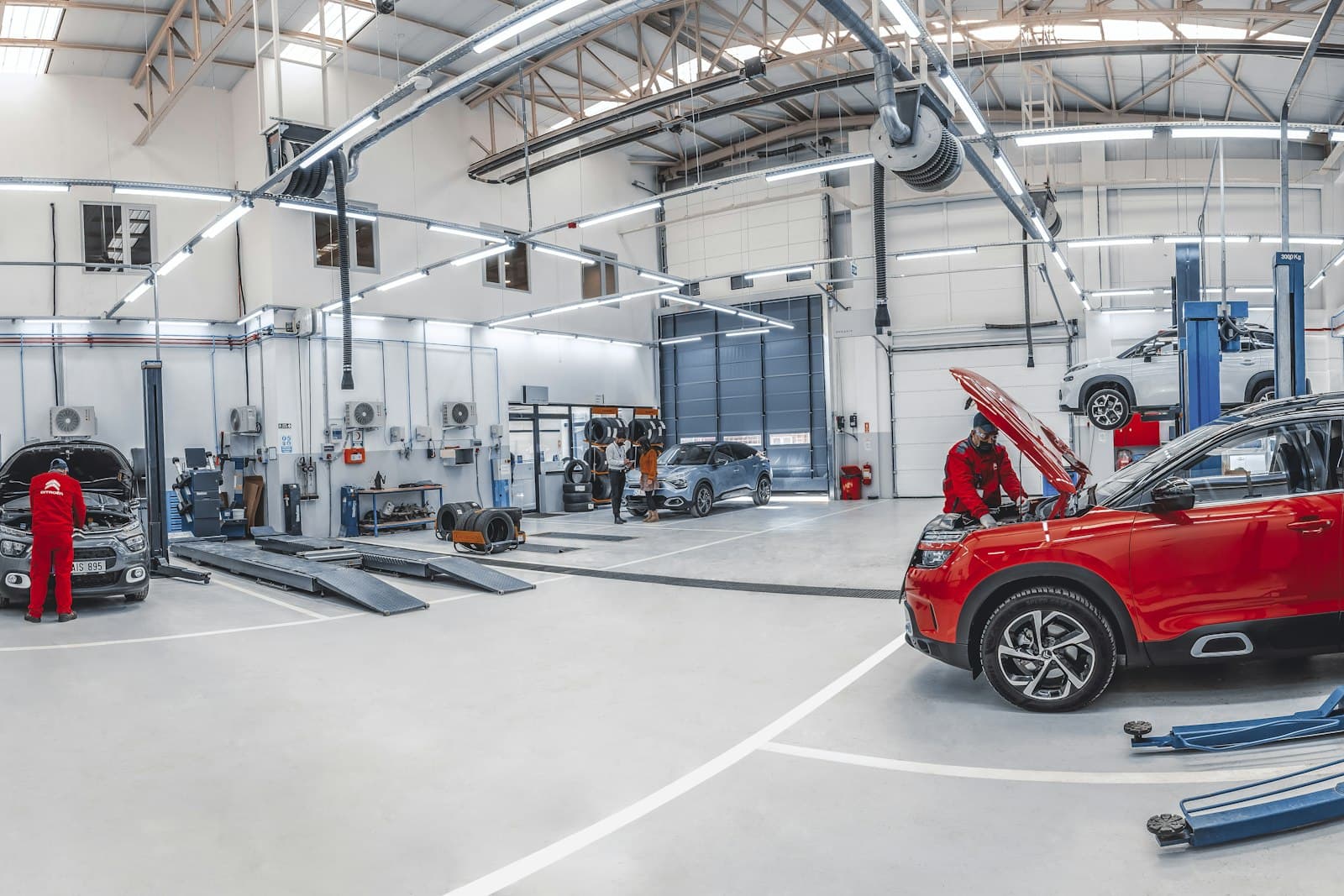
Most auto shops already have a camera system on the lot and over the bays. It gets watched after something goes wrong — a scraped bumper, a dispute about when a car was dropped off — and the rest of the time it records over itself every few weeks. Meanwhile the footage holds a complete, minute-by-minute record of how the day actually ran.
Camera and bay intelligence means software reads that footage as it happens and turns it into times, counts and alerts. This post covers what it can see, why those signals matter, and how they feed the rest of the shop — especially the service recommendations your advisors make at the counter.
What an auto shop camera system can see
Pointed at the right places, ordinary CCTV can record:
- Arrival — the car enters the property, the plate is read and the time is stamped.
- Bay entry — which bay the car went into, and when.
- Hood open and hood closed — the closest thing you have to a record of when work actually started and stopped.
- Overstay — the car has been in the bay longer than the target you set for that service.
- Garage doors — whether each bay door is open or closed, and for how long.
- Departure — the car leaves the lot and the visit is closed with a real time.
Why the hood matters more than the board
Your shop management system knows when someone changed a repair order’s status. That is not the same as when the work happened. A car can be marked “in progress” while it sits waiting for a tech, and marked “complete” twenty minutes after it was actually done because the advisor was busy.
The hood doesn’t have that problem. Say your target for a standard oil change is twenty minutes. If the camera shows the hood went up at 9:51 and came down at 10:38, you know that visit ran long, and you know it without anyone writing it down. Across a few weeks, those times show you which services run over, at which hours, and in which bays.
Overstays, caught while they’re still fixable
A report that tells you on Friday that a car overstayed on Tuesday is useful for training. An alert that tells a manager the moment a car passes its target is useful for the customer still sitting in the waiting room.
The reasons are usually ordinary: the car is waiting on an approval, a part, or a tech who got pulled onto something else. The alert doesn’t decide which — it gets a manager to walk over and find out while there’s still time to do something about it.
Garage doors and bay utilisation
Door state sounds trivial until you look at it. A door left open on a cold morning heats the parking lot. A door left open after close is a security problem. And a bay that sits empty with its door shut during the morning rush is capacity you paid for and didn’t use.
Put arrivals, bay entries and door states together and you get bay utilisation and peak hours by day of the week — the numbers you need to decide when to schedule your strongest techs, and whether you really need that extra bay.
How it feeds the counter
The plate read on arrival is where the cameras start paying off for the advisor. The plate is matched to the customer and any open repair order in your POS, and the vehicle’s Carfax report is pulled automatically. By the time the customer reaches the counter, the advisor can see what the car is due for now and what is coming up — not just what the customer came in about. We cover that step in detail in using Carfax history to recommend what a car is actually due for.
The departure signal matters too. When the camera sees the car leave, the visit closes with a real time and the review request goes out minutes later. And every bay time lands in your daily reports and audits, next to hours sold and hours clocked.
What you need to get started
Usually not new cameras. The software runs on the CCTV you already have. Often the only change is re-angling a camera so it sees the hood clearly, and some shops add a single camera at the back of a bay so plates read cleanly. The right answer depends on your layout, so the first step is looking at your existing feeds.
What it isn’t
It isn’t a way to watch every move your techs make. It measures visits, not people’s faces or conversations. Tell your team what is being measured and why. A record that shows a car sat because it was waiting on an approval or a part, not on the tech, protects your techs as much as it measures them. And check your local rules on camera signage and notice before you start.
Where to start
Pick one number you’d like to trust — hood-open time on your most common service is a good one — and watch it for two weeks. Once that number is real, the overstay alerts, door tracking and counter recommendations build on the same footage. You can see how camera timing fits into a full visit, from arrival to departure, on our automotive page.
Common questions
Do I need new cameras for an auto shop camera system?
Usually not. The software runs on the CCTV you already have, and often the only change is re-angling a camera so it sees the hood clearly. Some shops add a single camera at the back of a bay so plates read cleanly. Which you need depends on your layout, so the first step is looking at your existing feeds.
Can cameras track how long a car sits in the bay?
Yes. The cameras record arrival, which bay the car went into, when the hood opened and closed, and when the car left the lot. If a car passes the target you set for that service, a manager gets an alert while there’s still time to act on it.
Is it OK to use bay cameras to monitor technicians?
It measures visits, not people’s faces or conversations, and it isn’t a way to watch every move your techs make. Tell your team what is being measured and why, and check your local rules on camera signage and notice before you start. A record that shows a car was waiting on an approval or a part protects your techs as much as it measures them.